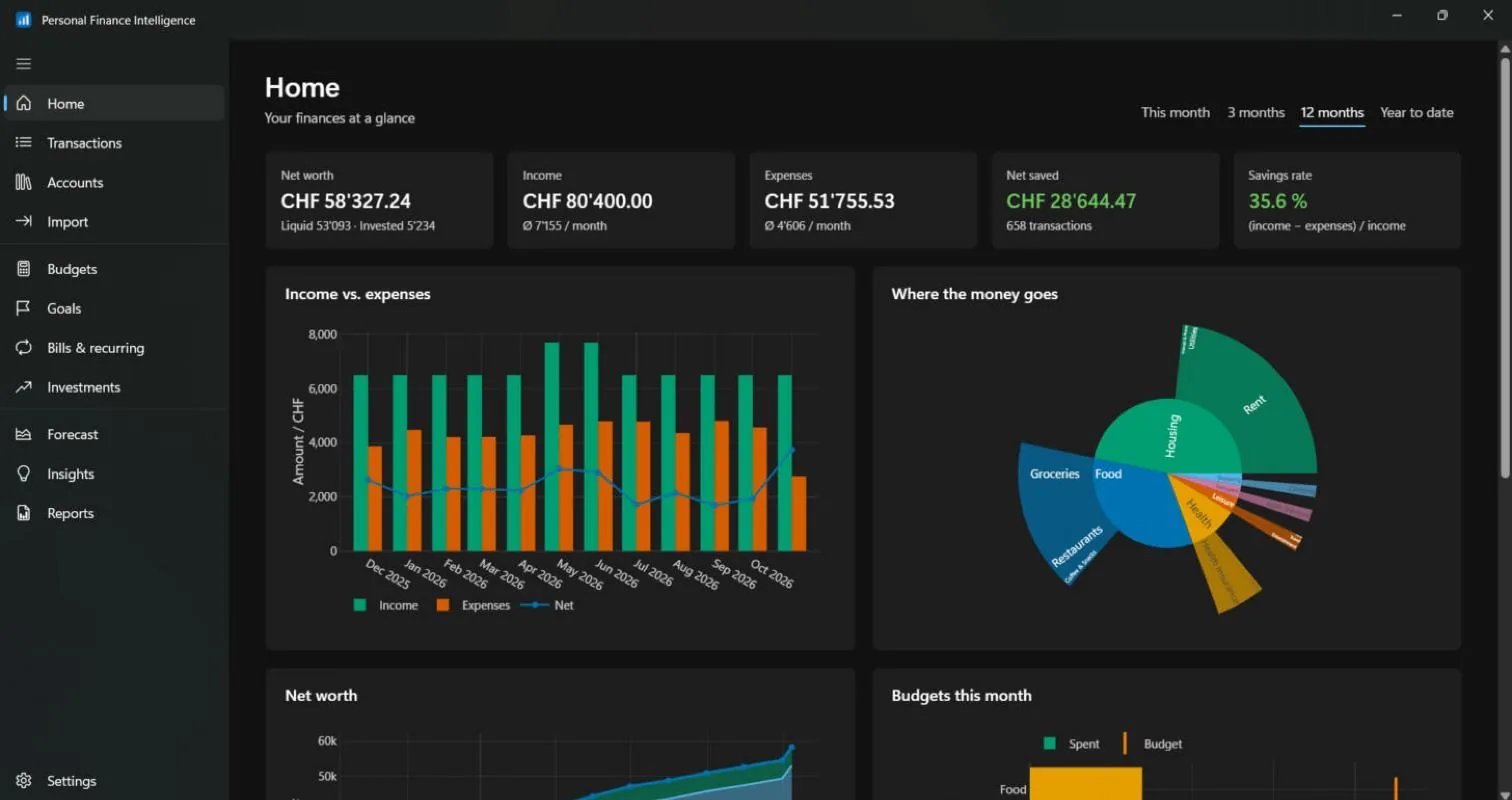
PFI replaces the spreadsheet: import what your bank gives you, and the app sorts, plans and forecasts.
Import any bank statement
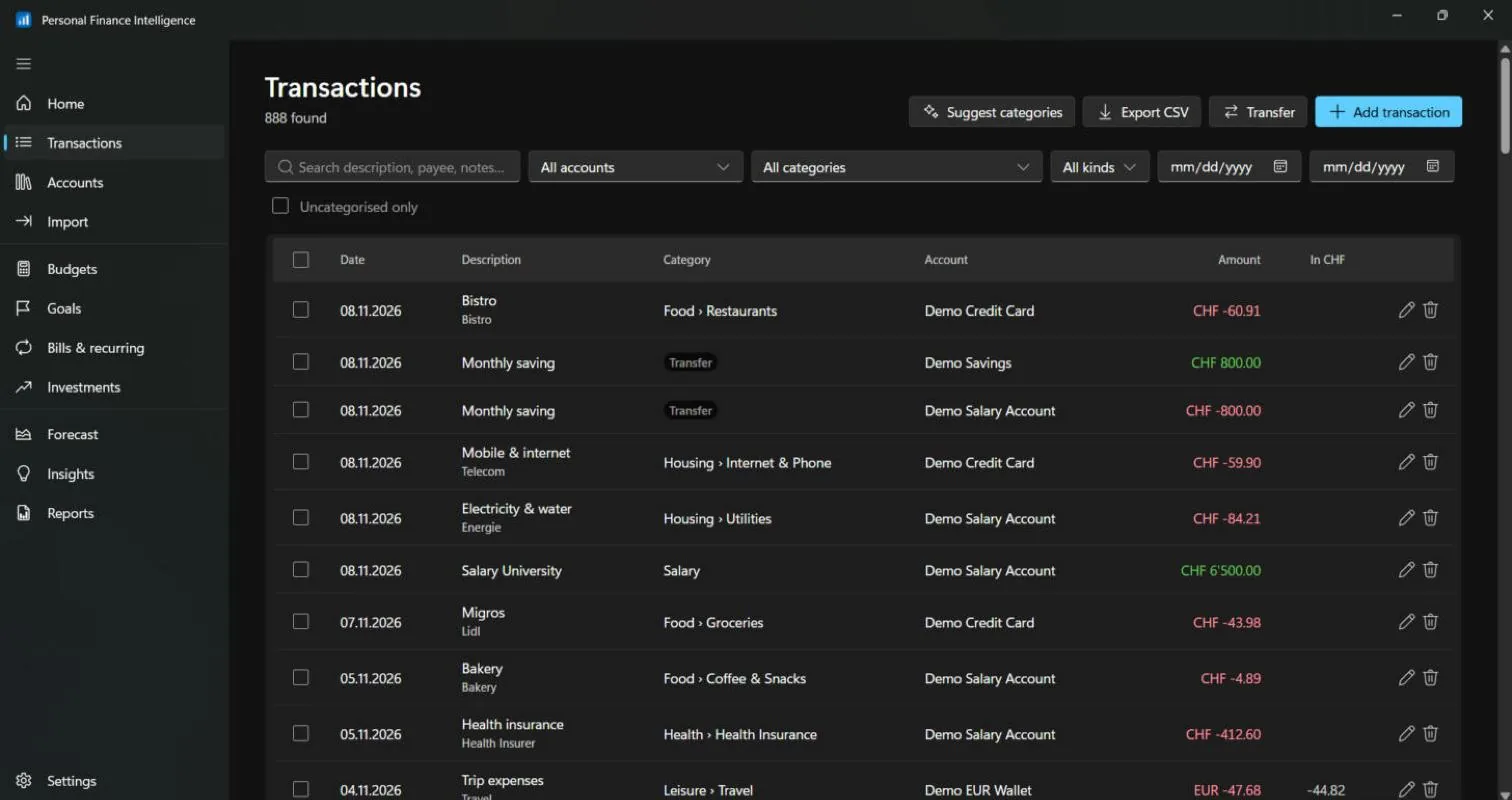
CSV, OFX/QFX, QIF and CAMT.053. PFI remembers each bank's format and shows possible duplicates side by side before anything is saved.
Categories that learn
PFI learns from the transactions you categorise yourself, and your own rules always come first.
Budgets and goals
Monthly limits per category with a month-end projection, and savings goals linked to real accounts.
New in 0.5Debt payoff planner
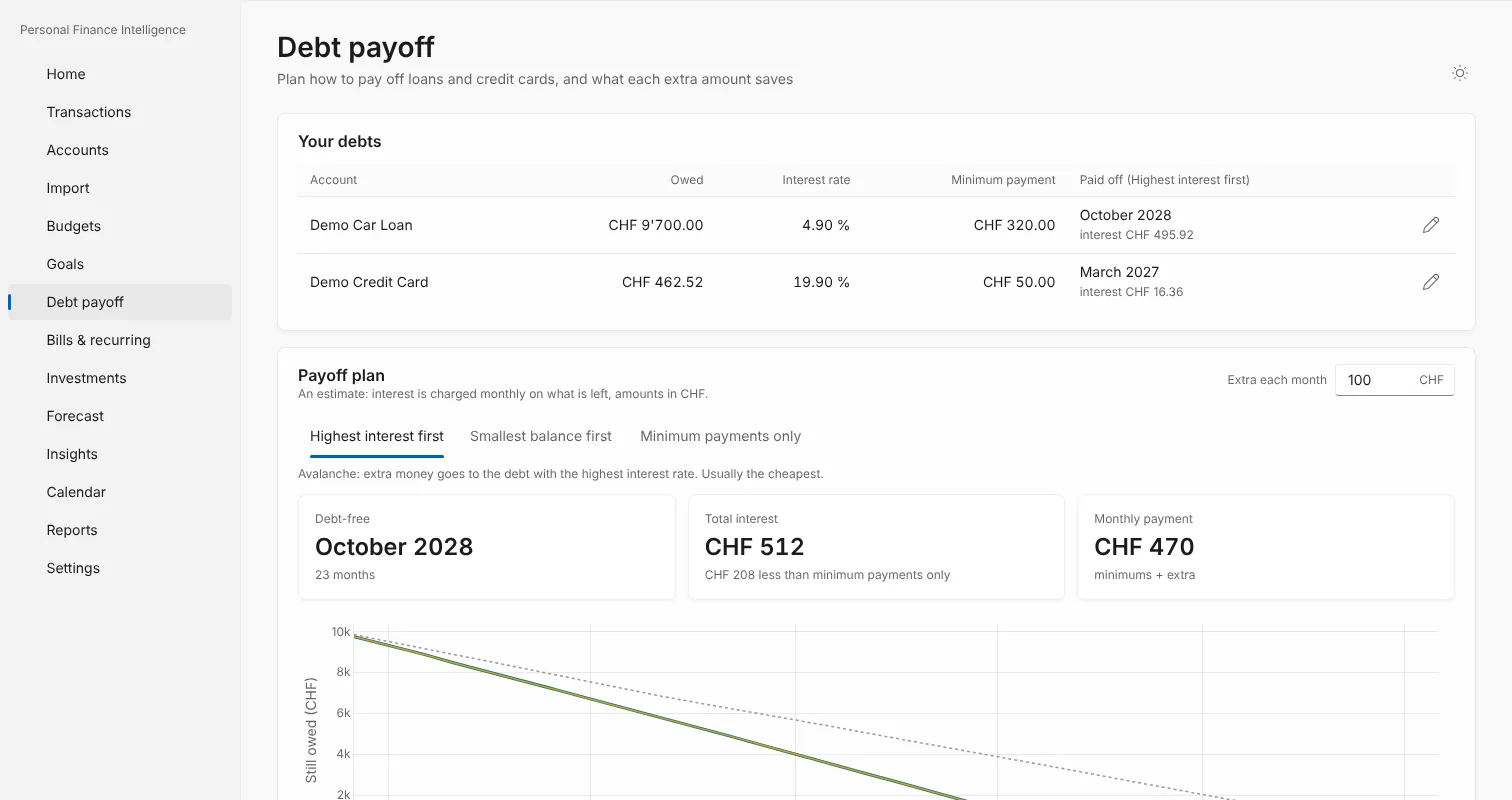
Compare highest interest first, smallest balance first and minimum payments only, with payoff dates and total interest.
New in 0.5Spending calendar
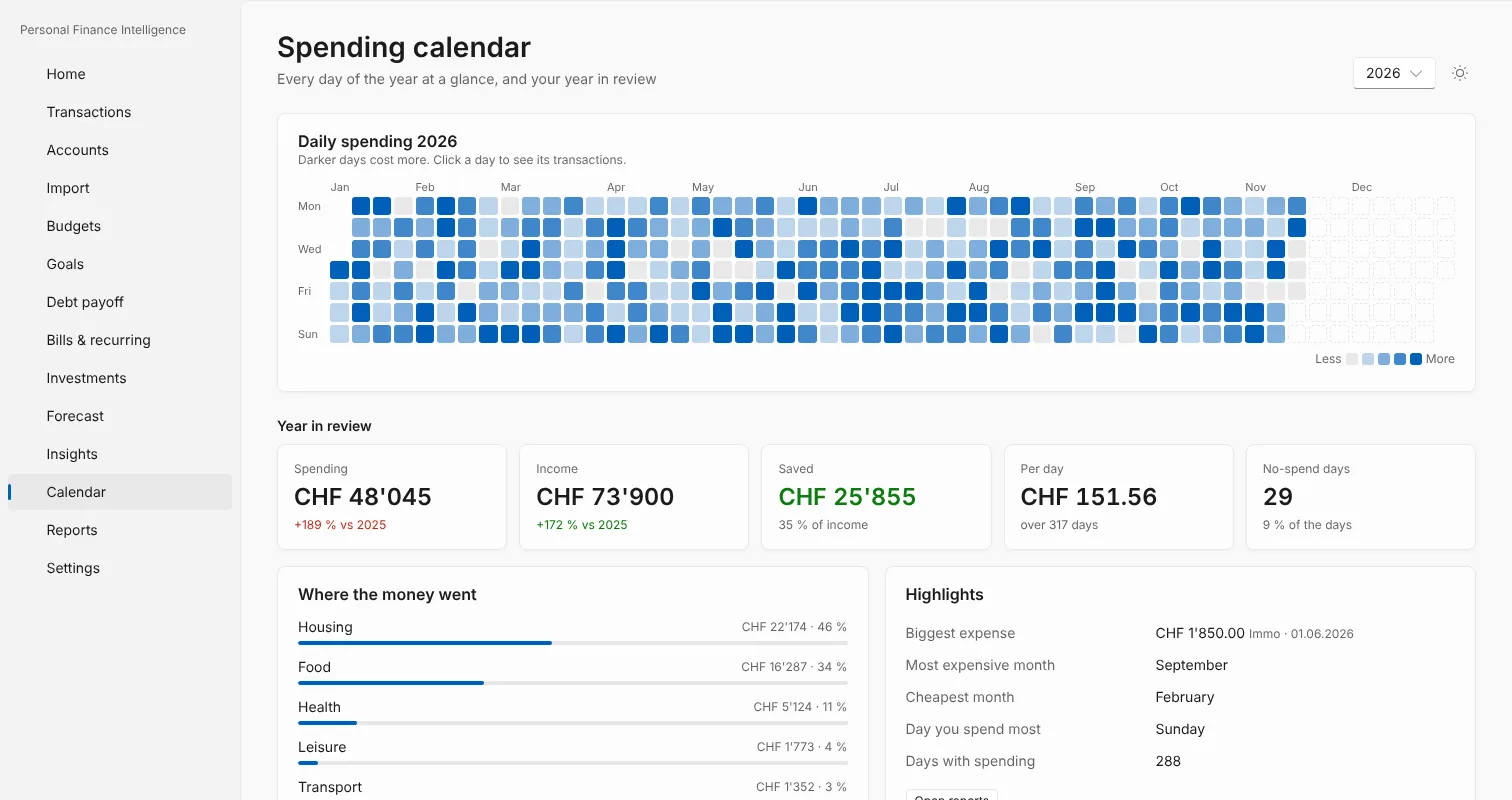
Every day of the year as a heatmap, plus your year in review: savings rate, no-spend days, biggest expense.
New in 0.5Bulk edit and reconcile
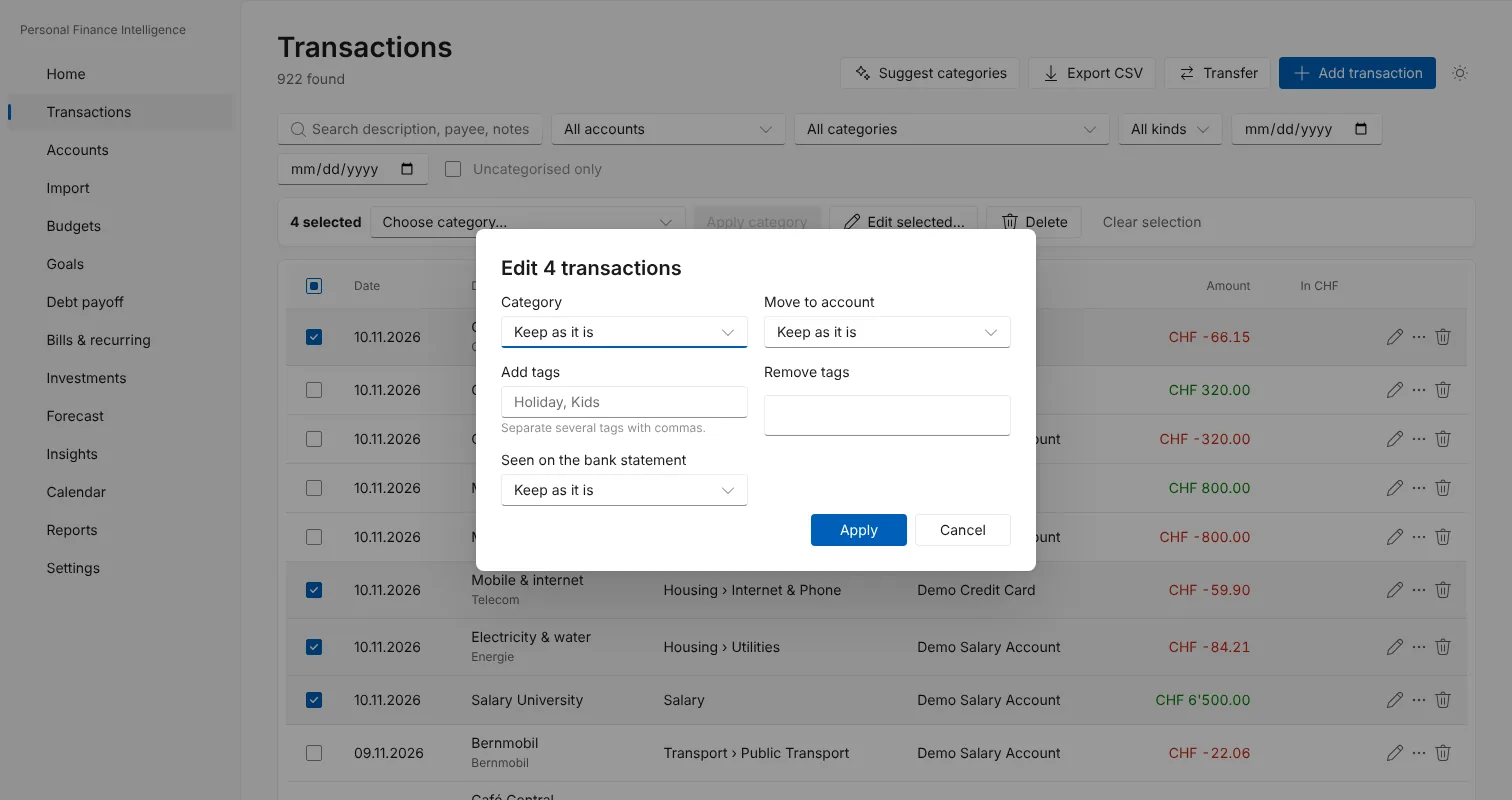
Change many transactions at once and tick off your bank statement until the difference is zero.
Investments
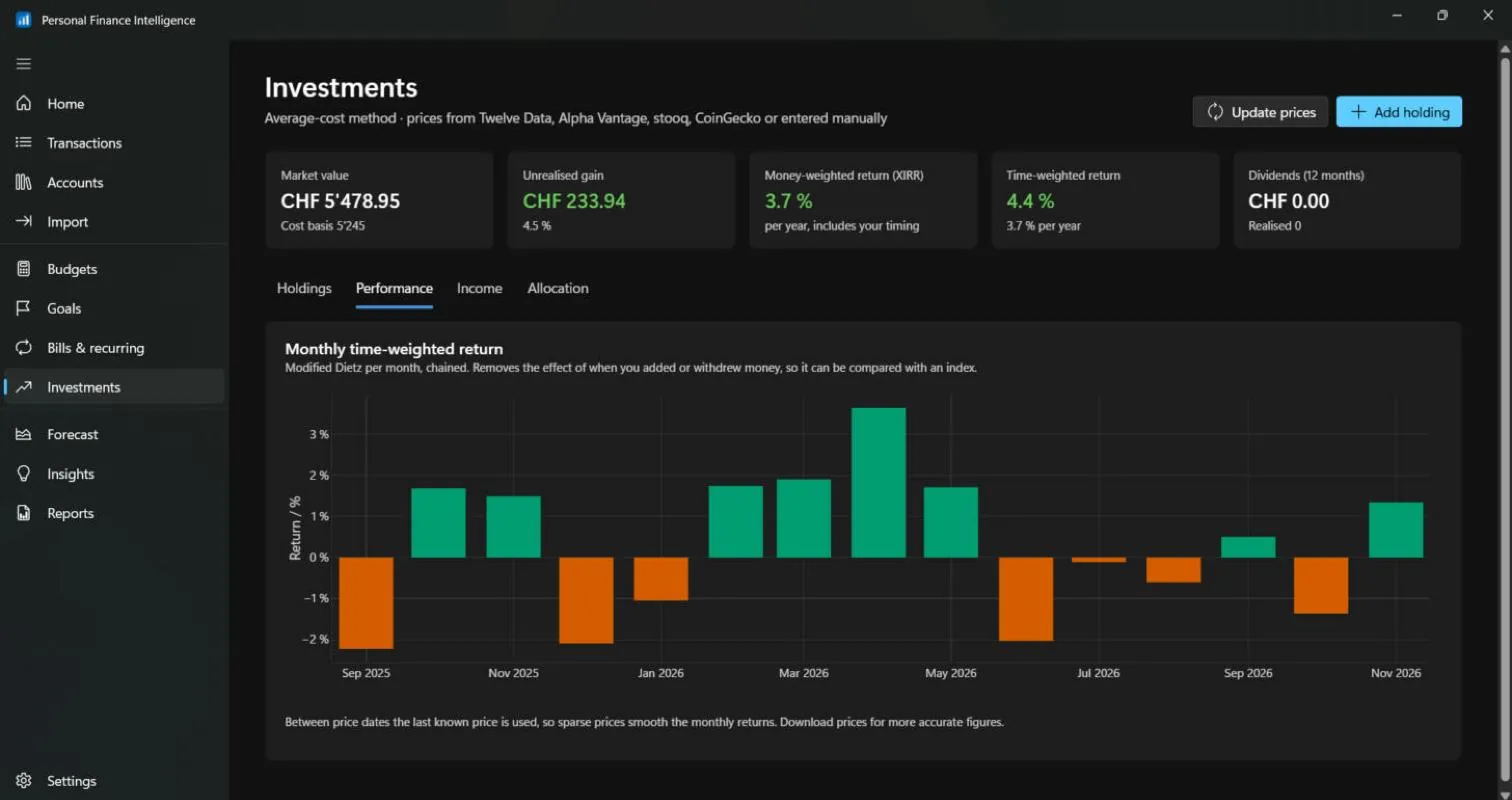
Holdings with prices from online sources, money-weighted and time-weighted returns, dividends and target allocation.
Forecast and insights
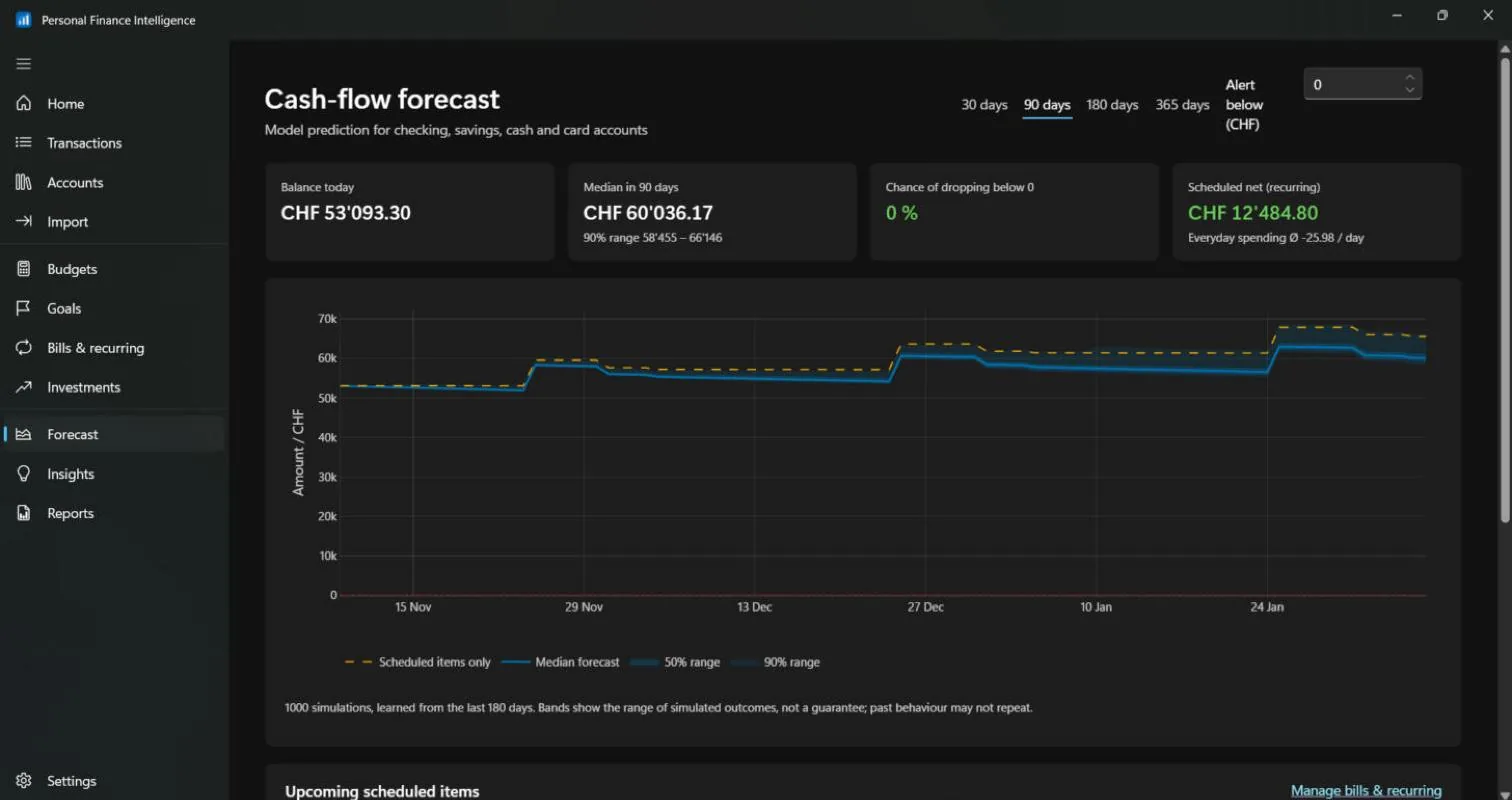
Cash-flow forecast with probability ranges from your own history; unusual expenses and subscriptions flagged.
Any currency
Accounts in any currency, converted to the one you report in (CHF, EUR, MAD, USD…) with daily exchange rates.
 Personal Finance Intelligence